Quick Start: How to Pair Two TikiTunes Together
- Turn off Bluetooth on your smartphone or tablet first.
- Press and hold the Power button on both TikiTunes speakers simultaneously.
- Wait 5 to 15 seconds. They will automatically sync to each other.
- Once you hear the voice prompt “TikiTunes Connected,” turn your phone’s Bluetooth back on.
- Select “TikiTunes” from your device list to begin playing music.
Are you looking for a portable Bluetooth speaker which can work in the outdoor and indoor environment effectively? Here is complete TikiTunes Instructions which might help you.
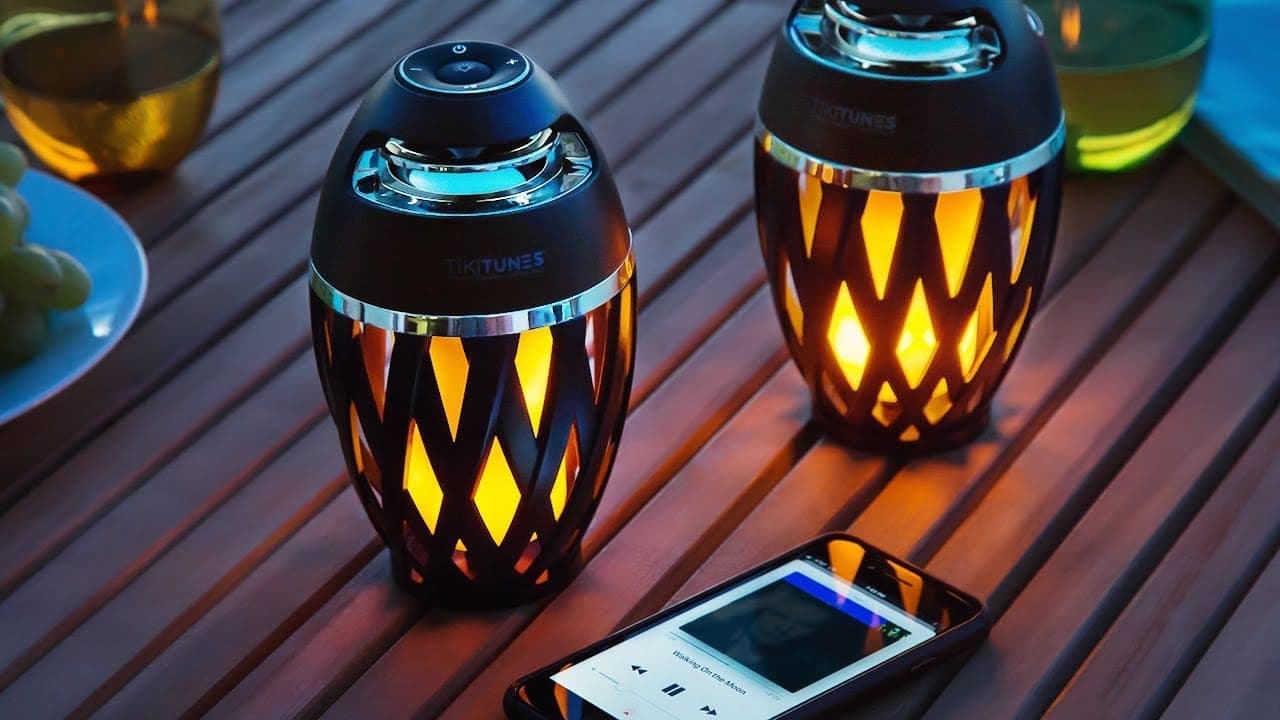
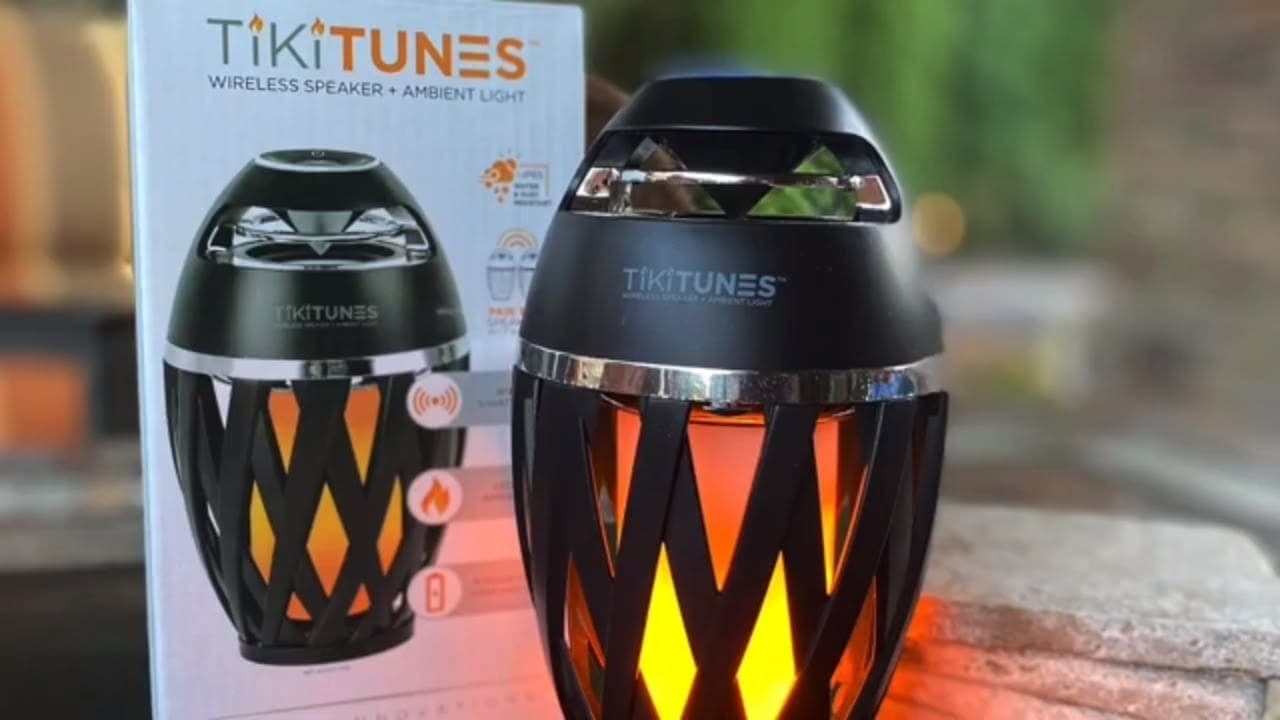
Get your hands on TikiTunes right now, designed by Limitless Innovations and it is considered to be one of the best Bluetooth speakers in the market. This portable speaker is waterproof and dust-proof. Let us gather some information about TikiTunes very quickly.
Now experience top-notch quality music with the help of TikiTunes and get lost in the music. Let us see how TikiTunes operate and how one can connect it with other TikiTunes.
How To Operate TikiTunes Instructions?
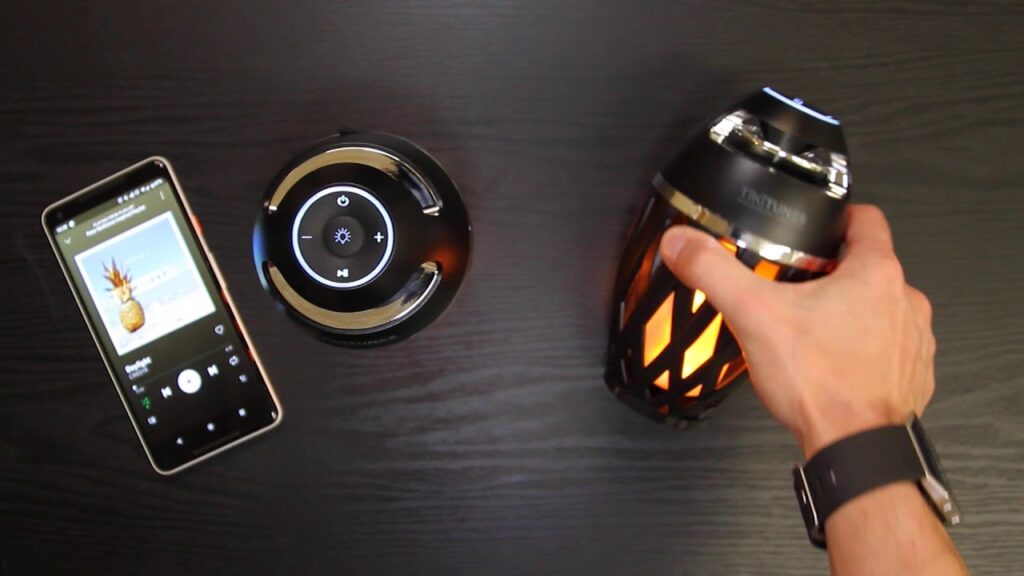
Let us see how one can operate TikiTunes and see how one can turn it on and other functions of this amazing portable Bluetooth speaker very quickly.
To turn on/off TikiTunes:
- Turn on the TikiTunes with the help of the power button and a flashlight will turn on.
- To turn off the speaker press the power button and the LED light will not blink anymore.
To turn on/off LED flashlight:
- To turn click on the little bulb option and it will get on.
- To turn the LED flashlight off just click on the bulb option and it will automatically get off.
To connect TikiTunes with smartphones or laptops:
- Turn TikiTunes on by clicking on the power button and turn on the Bluetooth of your smartphone or laptop.
- Go to settings and look for TikiTunes and click on pair it.
- Once the speaker is connected the LED flashlight will stop blinking.
*NOTE* Previously connected devices will connect with TikiTunes automatically.
TikiTunes Instructions – To connect 2 TikiTunes speakers:
- Turn both the TikiTunes speakers.
- Click on the pause/play button of both TikiTunes and it will get connected
- LED will stop blinking in one speaker and another speaker will blink the LED flashlight also known as the master speaker.
- One can connect Bluetooth to the master speaker and enjoy listening to music.
To skip/restart a song:
- To listen to the previous song, click on the “-” icon.
- To skip the next song, click on the “+” icon.
- To listen to the current song again, click on the “-” icon once.
To increase/decrease volume:
- Press on the “+” icon and hold it for a few seconds and the volume will get increased.
- Press and hold the “-” icon and the volume will get decreased.
To charge TikiTunes:
- Click the micro connector to the TikiTunes.
- If it is connected then a red LED will blink.
- If TikiTunes fully charge the LED light will stop blinking.
- Disconnect the speaker and put it on the cover and you are good to go.
How to connect TikiTunes to Alexa?
Connecting TikiTunes to Alexa is very easy. There are a few steps to follow, let us see those steps very quickly.
- Turn on the Alexa and go to Home.
- Go to the menu and click on Echo that you are looking to pair.
- Click on the Bluetooth and click on a pair with the new device.
- Click on TikiTunes and it will get connected.
TikiTunes Pro vs. Original: Pairing Multiple Speakers
The biggest issue most users face is pairing multiple speakers. The instructions differ depending on which model you own.
Pairing the Original TikiTunes (Max 2 Speakers)
The standard 5-watt model features “Dual Sync,” allowing only two devices to connect.
- Power off any connected Bluetooth devices (like your phone).
- Press and hold the power button on both speakers to turn them on.
- If they do not automatically sync, press and hold the Play/Pause button on one of the speakers until they pair.
- Open your phone’s Bluetooth menu and connect to “TikiTunes.”
Pairing TikiTunes Pro (Up to 100 Speakers)
The Pro model uses “PartySync Mode” and requires a Parent/Child setup.
- Turn on your first speaker (This is the Parent). Connect it to your phone via Bluetooth.
- Turn on your second speaker (This is the Child).
- On the Parent speaker, press the Bluetooth button to activate PartySync.
- On the Child speaker, press and hold the Bluetooth button until you hear a beep.
- The prompt “Synced” will play. Repeat this for any additional speakers.
Controlling the Flame LED Light
You can use the ambient flame light even when music isn’t playing.
- Turn On / Cycle Modes: Single-click the Flame button on the control panel to cycle through the three modes: Flicker, Pulsing, and Solid light.
- Turn Off: Press and hold the Flame button to completely turn off the ambient light without having to cycle through all the modes.
Charging Instructions & Battery Life
The built-in 2000 mAh rechargeable battery provides roughly 6 hours of continuous playtime.
- Connect the provided Micro-USB (or USB-C for Pro models) to the charging port located under the protective silicone flap.
- The LED indicator will glow red while charging and turn off (or white) when fully charged to 100%.
- Pro Tip: You can continue to listen to music and use the flame light while the device is plugged in and charging.
Troubleshooting Common Issues
- Audio is skipping or cutting out: Ensure the speaker is within the 30-foot wireless transmission range of your device. Move it away from thick walls or metal structures.
- Phone says connected, but no sound: If using Spotify or Apple Music, tap the “Device” or “AirPlay” icon inside the app and manually select “TikiTunes” as the audio output source.
- Can’t find it in Bluetooth settings: “Forget” the device on any previously paired phones. Turn the speaker off, wait 15 seconds, and turn it back on to reset the pairing mode.
Conclusion:
Connecting TikiTunes with your smartphone and laptop is very easy and doesn’t require much time. Now one can listen to their favorite music anytime and anywhere, whether you are going to the beach or swimming pool just carries your TikiTunes with you. Get your hands on this amazing portable speaker and save your money and enjoy music at the same time.
Follow these tikitunes instructions to get the best result.
Purchase TikiTunes from their official website or you can get this from Amazon at the same time.
Frequently Asked Question
Can I connect TikiTunes to an Android device?
Yes, one can connect TikiTunes with Android and iOS devices with ease.
Does TikiTunes need to be charged?
Yes, it needs to get charged as it works on a battery system.
How to raise and decrease the volume in TikiTunes?
To increase the volume on TikiTunes, just press on the “+” icon for a few seconds and to decrease the volume, click on the “-” icon and you are good to go.
How do you pair 2 TikiTunes together?
For the original model, press and hold the power button on both units simultaneously. They will automatically sync. Once synced, turn on your phone’s Bluetooth and select ‘TikiTunes’.
Can I listen to music while charging the TikiTunes?
Yes, you can listen to music and utilize the LED flickering flame light simultaneously while the TikiTunes speaker is plugged in and charging.
How many TikiTunes can you sync together?
The original TikiTunes 5-watt speaker can only sync up to 2 speakers together using Dual Sync. However, the TikiTunes Pro model utilizes PartySync mode, allowing you to connect up to 100 speakers together.