
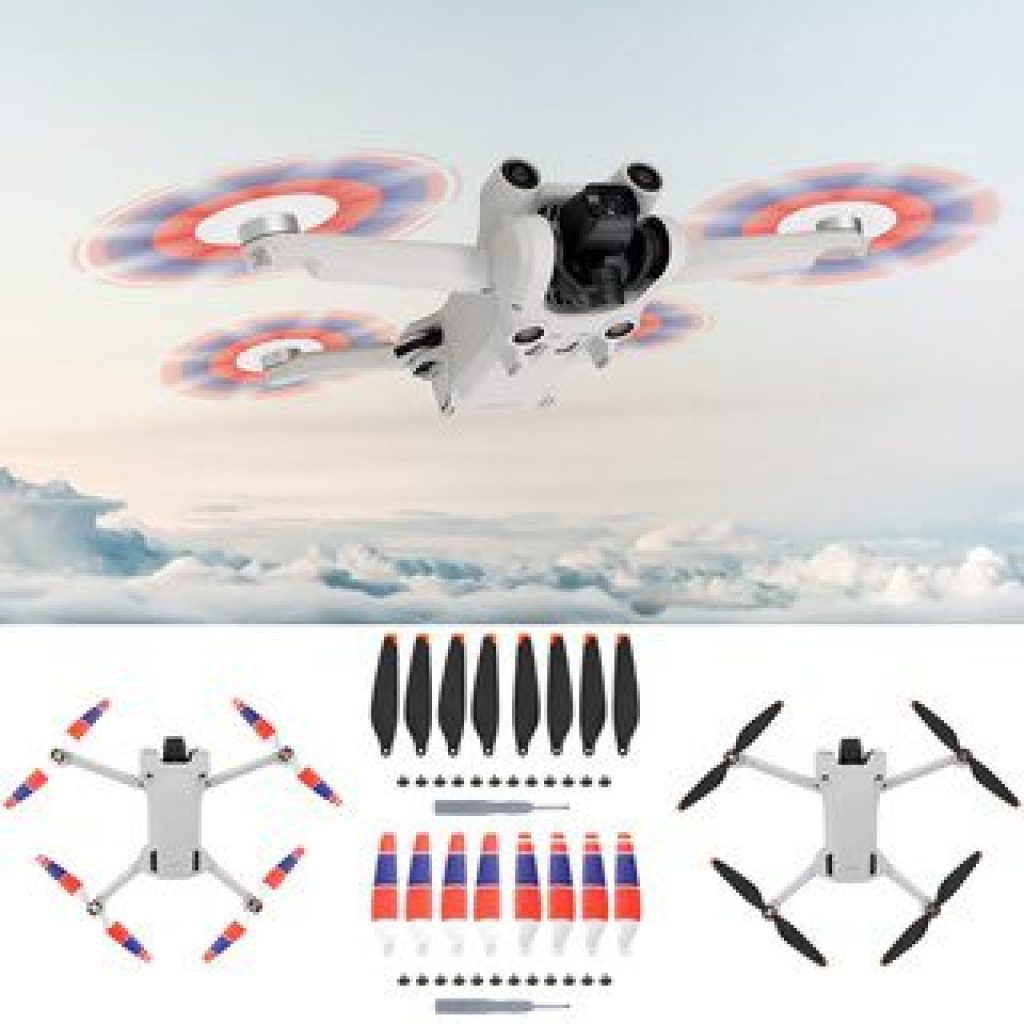
The budget drone market is genuinely exciting right now. Features that cost $1,000+ ten years ago — foldable designs, collision sensors, optical flow stabilization, smartphone connectivity — are now appearing in $100–150 packages. The technology has democratized aerial photography to a degree that would have seemed impossible a decade ago.
SmartyDrone sits in this exciting budget tier. It promises 4K camera capability, 50x zoom, front and side collision sensors, optical flow stabilization, one-button takeoff, and 18–20 minutes of flight time in a foldable form factor. For $100–150, these claims raise an obvious question: what’s the catch?
There are a few things to know — and one of them is important enough that every US buyer should read it before their first flight. Here’s the complete honest picture.
⚠️ US Buyers: FAA Regulation Notice
Before we cover the drone itself, here’s something that no other SmartyDrone review mentions: flying drones over 0.55 lbs (250g) in the US requires FAA registration.
More critically: the US FAA limits recreational drone flight to 400 feet AGL (Above Ground Level). The SmartyDrone’s marketing references flight capability over 1,000 feet — flying at that altitude as a recreational hobbyist in the US violates FAA regulations.
Required before your first flight:
- Register your drone at faa.gov/uas/recreational_fliers ($5 one-time fee; required for drones over 250g)
- Check your local airspace with the B4UFLY app (free, official FAA app) — many suburban areas are in restricted airspace near airports
- Stay below 400 feet AGL
- Never fly near airports without LAANC authorization
UK Buyers: The CAA requires registration for drones over 250g. Maximum altitude is 120 meters (about 400 feet) in category A1/A2. Check the CAA’s Drone Assist app before flying.
This is not legal advice — consult the FAA and CAA official resources for current regulations.
TL;DR — SmartyDrone at a Glance
- What it is: A foldable budget camera quadcopter with collision sensors, optical flow, and smartphone connectivity
- Camera reality: Claimed “4K” — likely 1080p or lower actual capture quality; “50x zoom” is digital (not optical) zoom
- Flight time: 18–20 minutes — accurate for budget class
- Best for: Complete beginners learning drone basics; recreational hobbyists who want anti-collision protection
- Key regulatory concern: US hobbyists must stay below 400 feet AGL; FAA registration likely required
- vs DJI Mini 2 SE: DJI is significantly better in camera quality, GPS hold, and flight stability — for $249 vs SmartyDrone’s ~$100–150
- Rating: 6.5 / 10
- Verdict: Functional beginner drone with genuine features, overstated camera specs, important regulatory considerations
👉 Check Today’s Price on the Official SmartyDrone Website
Quick Verdict Box
| ✅ Foldable, portable design | ❌ “4K” quality likely overstated |
| ✅ Anti-collision sensors (front + side) | ❌ 50x zoom is digital, not optical |
| ✅ Optical flow for hover stability | ❌ No GPS — hover stability is limited |
| ✅ One-button takeoff/land for beginners | ❌ 1,000+ ft altitude violates US FAA rules |
| ✅ 18–20 minute flight time | ❌ No Amazon listing — no independent reviews |
| ✅ Smartphone compatible (iOS + Android) | ❌ zenogadgets.com network — limited buyer protection |
Best for: Complete beginners wanting their first drone experience, people who want collision protection at a budget price point, recreational hobbyists in areas with open airspace.
Product Overview Table
| Feature | SmartyDrone Detail |
|---|---|
| Type | Foldable camera quadcopter |
| Camera | 4K claimed (likely 1080p or lower actual quality) |
| Zoom | 50x digital zoom |
| Field of view | 120–150 degrees (varies by source) |
| Collision sensors | Front and side |
| Stabilization | Optical flow positioning |
| GPS | Not confirmed |
| Flight time | 18–20 minutes |
| Battery | 3.7V Lithium-Ion (modular) |
| Range | ~1,200 feet (300m) claimed |
| Max altitude | 1,000+ feet claimed (⚠️ exceeds FAA 400ft limit) |
| Takeoff | One-button automatic |
| App | QR code scan for iOS/Android app |
| In the box | Drone, 4 spare propellers, screwdriver, carry bag, manual |
| Distributor | zenogadgets.com affiliate network |
What Is SmartyDrone?
SmartyDrone is a budget consumer camera drone — a foldable quadcopter designed for recreational aerial photography and video. It aims to provide beginners and casual hobbyists with drone features that previously required significantly higher price points: collision avoidance sensors, optical flow positioning, smartphone connectivity, and camera capability in a portable, foldable package.
The product is distributed through zenogadgets.com — an affiliate marketing platform that also distributes the MaxPhone (another product reviewed on ossaward.org). The same distribution infrastructure appears across multiple products in this network. Products ship and function as described; the marketing claims require careful interpretation.
The honest positioning for SmartyDrone: it’s a functional beginner drone with genuine helpful features (collision sensors, optical flow, one-button takeoff) and some overstated camera specifications. Understanding what you’re actually getting versus what the marketing implies is the purpose of this review.
The Camera – What “4K” and “50x Zoom” Actually Mean for Budget Drones
This section is the most important in any budget drone review, and almost no affiliate review covers it honestly.
The “4K” Reality on Budget Drones
When a drone priced at $100–150 claims “4K,” it’s important to understand what that likely means in practice.
True 4K video requires a camera sensor capable of capturing 3,840×2,160 pixels with meaningful image detail at this resolution. The camera module alone for genuine 4K capability typically costs $40–80 in components — a significant fraction of SmartyDrone’s total price.
What “4K” usually means on budget drones at this price:
- The output file is labeled “4K” in metadata
- The actual sensor capture may be 1080p, 720p, or lower
- Software interpolation or upscaling produces the labeled resolution
- Image quality is substantially below what DJI’s genuine 4K camera delivers
The SmartyDrone’s own article contains this contradiction: the Features section describes “720p Standard High-Definition (HD) images” while the Technical Specs lists “4K Dual HD Camera.” This internal discrepancy strongly suggests the actual camera capture quality is closer to 720p–1080p, with the “4K” label representing the output file format rather than the capture quality.
Practical implication: Don’t expect DJI-quality aerial photography. For social sharing, vacation memories, or learning to fly, SmartyDrone’s camera is adequate. For anything requiring quality footage — real estate, events, professional content — a higher-budget camera drone is necessary.
The “50x Zoom” Reality
50x optical zoom on a drone of this size is physically impossible. A 50x optical zoom telephoto lens would be the size of a small telescope — the physical optics cannot be miniaturized to fit a portable budget drone.
What 50x zoom means on SmartyDrone: Digital zoom — the camera crops the center of the sensor image and enlarges it digitally. This is the same as pinch-to-zoom on a smartphone camera. The result is noticeably degraded image quality at high zoom levels.
Practical implication: At 10x or higher digital zoom, you’ll see pixelation and loss of detail. Digital zoom is useful for framing (seeing what’s happening at distance) but produces poor image quality for actual footage or photos.
Key Features — What’s Real and What to Expect
Anti-Collision Sensors
The front and side collision sensors are one of SmartyDrone’s most valuable features for beginners. These sensors detect obstacles in the drone’s flight path and either stop the drone or trigger a hover to avoid collision.
Why this matters: For new drone pilots, crashes are the primary cause of damage. A drone without collision sensors requires constant manual attention to surroundings. Collision sensors provide a meaningful safety margin — particularly in environments with trees, buildings, or other obstacles.
Honest limitation: Side and front sensors cover some directions. Rear-facing and downward collision protection are typically absent on budget drones at this price tier. Vertical descents (landing) and reversals still require manual attention.
Optical Flow Positioning
Optical flow uses a downward-facing camera and motion sensing to estimate the drone’s position and maintain stable hover. This is distinct from GPS hold (which uses satellite positioning) — optical flow works on visual pattern recognition of the surface below.
Why this matters: Without optical flow or GPS, beginner drones drift significantly in any wind. Optical flow substantially improves hover stability, making it much easier to frame shots and control the drone in calm conditions.
Honest limitation: Optical flow is significantly less accurate than GPS positioning. In moderate wind, the drone will drift. Indoor optical flow works well; outdoor optical flow in any wind requires active correction.
One-Button Takeoff and Landing
The “one-button takeoff” feature automatically lifts the drone to a preset hover altitude with a single button press. This eliminates the throttle-up learning curve that causes many beginners to crash on their very first flight.
For beginners: This feature alone is worth significant consideration. Learning to fly a drone with smooth throttle control takes practice. One-button takeoff lets you focus on directional control rather than managing vertical lift simultaneously.
Foldable Design
The arms and propellers fold inward, significantly reducing the drone’s storage footprint. The included carry bag keeps everything organized and protected.
Practical value: A drone you can pack into a day bag is one you’ll actually bring with you. Full-size non-folding drones stay at home because they’re inconvenient to transport.
Smartphone Connectivity
The QR code scan for the companion app (iOS and Android compatible) connects your smartphone for live video feed and additional camera controls. This is the standard approach for consumer budget drones.
Practical value: Seeing the live video feed from your smartphone screen adds significant value beyond line-of-sight flying alone. You can frame shots, review footage during flight, and use the app’s automatic photo features.
Flight Time: 18–20 Minutes
18–20 minutes is good for budget drones. Entry-level drones without these features often achieve only 5–10 minutes per battery. 18 minutes provides meaningful flight time for a recreational session.
The real math: Including the time to charge the battery (~1 hour), park the drone, prepare for flight, and land: a 20-minute flight goes quickly. Serious drone photographers typically carry 2–3 spare batteries for a meaningful session.
Real-World Flying Experience
First Flight
One-button takeoff lives up to its promise. The drone rises smoothly to a stable hover height. For a first-time drone pilot, this is genuinely less stressful than manual throttle management.
In calm conditions indoors or in open spaces outdoors: the optical flow stabilization provides adequate hover. The drone stays reasonably in place while you orient yourself to the controls.
In any wind: optical flow becomes noticeably less effective. Even mild outdoor wind (5–10 mph) causes drift that requires continuous correction. This is a fundamental limitation of optical flow vs GPS-based stability.
Camera Performance
Footage from budget drones with these specifications is adequate for casual social sharing. Aerial selfies, vacation property overviews, or family event memories: the camera serves these purposes.
Footage quality at 4K label is noticeably behind DJI-tier cameras. Color accuracy, dynamic range (the range of bright to dark detail), and low-light performance all fall short of premium alternatives. This is expected at the price point.
The 50x digital zoom is useful for scouting (seeing if it’s safe to fly toward something) but produces pixelated results not suitable for actual footage.
Collision Avoidance in Practice
The front and side collision sensors work as described — the drone stops or hovers when it detects an obstacle in its path. For navigating around trees and structures in cautious exploratory flying, this is a genuine safety benefit.
At high speed or with sudden changes in direction: no collision sensor on a budget drone can guarantee protection. Slow, deliberate movements work best with the sensor system.
Honest Pros and Cons
Pros
- Anti-collision sensors (front + side) — real safety feature valuable for beginners
- Optical flow stabilization — meaningfully better hover than drones without it
- One-button takeoff — genuinely reduces first-flight anxiety for beginners
- Foldable portable design with carry bag
- 18–20 minute flight time — above average for budget class
- Smartphone compatible (iOS + Android)
- Spare propellers included — saves the inevitable first-crash propeller replacement
- Multiple camera controls via companion app
Cons
- “4K” camera quality is overstated — likely 720p-1080p actual capture quality
- “50x zoom” is digital, not optical — significant quality degradation at high zoom
- No GPS — optical flow only; drifts in wind
- 1,000+ ft altitude claim violates US FAA 400ft hobbyist limit
- No Amazon listing — no independent verified buyer reviews
- zenogadgets.com network — limited buyer protection vs Amazon purchases
- FAA registration likely required (if over 250g — not published)
- Battery charge time (~1 hour) vs 18-20 min flight time — ratio requires planning
SmartyDrone vs The Competition
| Feature | SmartyDrone | DJI Mini 2 SE | Holy Stone HS720E | Tomzon D40 |
|---|---|---|---|---|
| Price | ~$100–150 | ~$249 | ~$100–150 | ~$60–80 |
| Camera | “4K” (likely 1080p actual) | True 4K (genuine quality) | 4K EIS stabilized | 1080p |
| GPS hold | ❌ (optical flow only) | ✅ Yes | ✅ Yes | ❌ |
| Collision sensors | ✅ Front + Side | ❌ (Mini 2 SE) | ❌ | ❌ |
| Flight time | 18–20 min | ~31 min | ~26 min | ~18 min |
| Range | ~300m | ~10km | ~1km | ~100m |
| Foldable | ✅ Yes | ✅ Yes | ✅ Yes | ✅ Yes |
| Wind resistance | Moderate | Level 5 (38 km/h) | Level 4 | Low |
| Amazon available | ❌ No | ✅ Yes (thousands) | ✅ Yes (thousands) | ✅ Yes (thousands) |
| Verified reviews | Affiliate only | Massive | Amazon 4.4★ | Amazon 4.2★ |
Key comparison insights:
DJI Mini 2 SE at $249: For $100–150 more, you get genuine 4K camera quality, GPS hold (the drone stays in position without constant correction in wind), level 5 wind resistance, 31 minutes of flight time, and a 10km range. The DJI also weighs exactly 249g — just under the 250g FAA registration threshold. For serious aerial photography or anyone who will use the drone frequently, the DJI price premium is entirely justified.
Holy Stone HS720E at ~$100–150: Available on Amazon with thousands of verified reviews, GPS hold (a significant advantage), and a genuine 4K camera with electronic image stabilization. No collision sensors. For buyers who prioritize GPS stability over collision protection at the same price: Holy Stone is a strong Amazon alternative.
Tomzon D40 at ~$60–80: Cheaper, on Amazon with verified reviews, no collision sensors, no GPS, shorter range. If price is the only consideration and you want to spend less, Tomzon is viable for casual flying.
Pricing and Value Analysis
SmartyDrone pricing is not shown before checkout on zenogadgets.com — the standard “50% off” promotional frame appears. Based on budget drone category pricing, estimate approximately $100–150 for the standard unit.
Is SmartyDrone worth the price?
vs DJI Mini 2 SE ($249): DJI is objectively better in camera, GPS, flight stability, and longevity. If you can stretch the budget to $249, DJI’s established ecosystem, superior camera, and GPS hold make it a meaningfully better purchase for anyone who will fly regularly.
vs Holy Stone on Amazon (~$100–150): Holy Stone offers GPS hold (a significant advantage over optical flow) at a similar price with thousands of Amazon buyer reviews and Amazon return policy. The trade-off: Holy Stone doesn’t have collision sensors. If GPS stability matters more than collision protection, Holy Stone is a stronger Amazon alternative.
SmartyDrone’s case: The collision sensors at this price point are a genuine differentiator — particularly for beginners whose primary crash risk is flying into obstacles. No direct Amazon alternative at this price combines collision sensors, optical flow, and 18–20 minute flight time.
Honest recommendation: If you’re a beginner who primarily wants to learn in forgiving environments (open fields, parks, indoors) without crashing into things: SmartyDrone’s collision sensors make it a defensible choice. If camera quality is your primary concern or you want GPS-stable video: DJI Mini 2 SE or Holy Stone HS720E are better options.
FAA Rules Every US Drone Buyer Must Know
Register before you fly:
- All drones weighing more than 0.55 lbs (250g) must be registered at faa.gov/uas
- Cost: $5 for 3 years
- Mark registration number on your drone
Maximum altitude:
- 400 feet AGL in uncontrolled airspace
- The SmartyDrone’s marketing references 1,000+ feet capability — flying at this altitude as a US hobbyist is illegal
Where you can fly:
- Recreational flying: Class G (uncontrolled) airspace is generally available
- Use the B4UFLY app (free, FAA official) to check airspace at your planned flight location
- Never fly within 5 miles of an airport without LAANC authorization (also free, through AirMap or Kittyhawk apps)
What to avoid:
- National parks: drones banned in most NPS lands
- Over crowds of people
- Over moving vehicles
- Government facilities, stadiums, wildfire areas
FAA violations: Penalties range from $1,000 to $27,500 for civil violations, and up to $250,000 for criminal violations for willful violations. Take the regulations seriously.
Who Should Buy SmartyDrone?
Ideal Buyers ✅
- Complete beginners who want their first drone experience with collision protection
- Parents buying a drone for older teenagers who want safety features
- Hobbyists in open rural areas with plenty of legal airspace who want to learn aerial photography
- Budget-constrained buyers who want collision sensors that budget alternatives lack
- Gift buyers for drone-curious adults or teens
Who Should Consider Alternatives ❌
- Camera quality prioritizers — DJI Mini 2 SE ($249) provides genuine 4K at a price premium worth paying
- GPS stability needers — Holy Stone HS720E on Amazon provides GPS hold at a similar price
- Professional or semi-professional aerial photographers — budget drones aren’t the tool
- Anyone in congested urban airspace — check B4UFLY before purchasing; many urban areas have significant airspace restrictions
- Buyers who need verified reviews before purchasing — Amazon alternatives (Holy Stone, Tomzon, Potensic) have thousands of independent verified reviews
Expert Tips for SmartyDrone
1. Fly in calm conditions initially. Optical flow stabilization works well in wind below 5 mph. Moderate wind (10+ mph) causes significant drift that will challenge new pilots. Your first several flights should be on calm days in open areas.
2. Charge fully before first flight. A partial charge causes reduced flight time and potential mid-flight power issues. Charge to 100% before your first flight.
3. Use the collision sensors conservatively. Fly slowly enough that the sensors have time to respond. At high speed, the sensor reaction time may be insufficient to prevent collision.
4. Keep the app fresh. Companion drone apps receive updates. Download the app and check for updates before your first flight session.
5. Register before flying. US buyers: register at faa.gov/uas. It takes 5 minutes, costs $5, and is legally required for most drones with cameras.
6. Start with one-button takeoff, then practice manual. Use one-button takeoff until you feel comfortable with directional control, then practice manual throttle-up to build skills that transfer to future drones.
7. Bring spare batteries or plan short sessions. 18–20 minutes sounds like a lot until you’re mid-shoot. Budget 1 hour of charge time per 20-minute flight.
Common Mistakes New Drone Pilots Make
Mistake 1: Flying in wind. Beginning pilots underestimate how quickly wind disrupts drone control. Check wind speed before every session. Calm days only for the first month.
Mistake 2: Flying above 400 feet. US FAA limits recreational hobbyists to 400 feet AGL. The drone’s capability to fly higher is a hardware spec — the legal limit is independent of what the drone can do.
Mistake 3: Flying near airports without checking. Many suburban areas are in Class D, E, or B airspace near airports. Check B4UFLY before every new flight location.
Mistake 4: Relying on collision sensors completely. Sensors cover front and sides — not rear or top. Reversing into a tree or climbing into power lines are both possible despite sensors.
Mistake 5: Letting the battery run to zero. Most drone batteries perform best with partial discharge cycles. Land with at least 20% remaining to extend battery life.
Mistake 6: Not practicing in a safe open area first. Take the drone somewhere with no obstacles, no people, and no airspace restrictions for your first several flights. Learn control basics before attempting obstacle-rich environments.
Is SmartyDrone Legit?
Yes — SmartyDrone is a real product from a real distribution network that ships and functions.
The drone is real, it flies, the collision sensors function, the optical flow provides stabilization, and the flight time is approximately as claimed.
The honest limitations:
- The “4K” camera claim significantly overstates actual capture quality
- “50x zoom” is digital zoom, not optical — quality degrades significantly at high zoom
- The altitude claims reference capabilities that violate US FAA hobbyist regulations
- No independent Amazon or Trustpilot reviews are available for verification
- zenogadgets.com provides less buyer protection than Amazon purchases
Final Verdict
SmartyDrone is a functional beginner drone with genuine collision sensor protection and optical flow stabilization at a budget price. For complete beginners who specifically want collision avoidance in their first drone, it fills a real gap in the market that Amazon budget alternatives don’t address at this price.
The camera quality claims are overstated — you’re getting 720p-1080p actual capture quality with a “4K” marketing label, and digital rather than optical zoom. This is typical for the budget drone category and shouldn’t be a deal-breaker if camera quality expectations are realistic.
The most important thing any US buyer should take from this review: register your drone with the FAA before your first flight, stay below 400 feet, and check your local airspace before flying anywhere new.
Final Rating: 6.5 / 10
| Category | Score |
|---|---|
| Collision sensors for beginners | 8/10 |
| Optical flow stabilization | 7/10 |
| Camera quality (actual, not claimed) | 5/10 |
| Flight time | 7/10 |
| Value vs DJI Mini | 6/10 |
| Marketing honesty | 4/10 |
| Overall | 6.5/10 |
If beginner-friendly collision protection in a budget foldable drone is your priority, SmartyDrone delivers on that promise.
👉 Check Today’s Price on the Official SmartyDrone Website →
Before ordering: Register at faa.gov/uas, download B4UFLY to check your local airspace, and check the current size fits — confirm whether the drone requires FAA registration by verifying its weight.
Comparing alternatives? Holy Stone HS720E (~$100–150, Amazon) has GPS hold, thousands of verified reviews, and Amazon buyer protection. DJI Mini 2 SE ($249) has genuine 4K quality, GPS, and weighs just under the FAA registration threshold.


